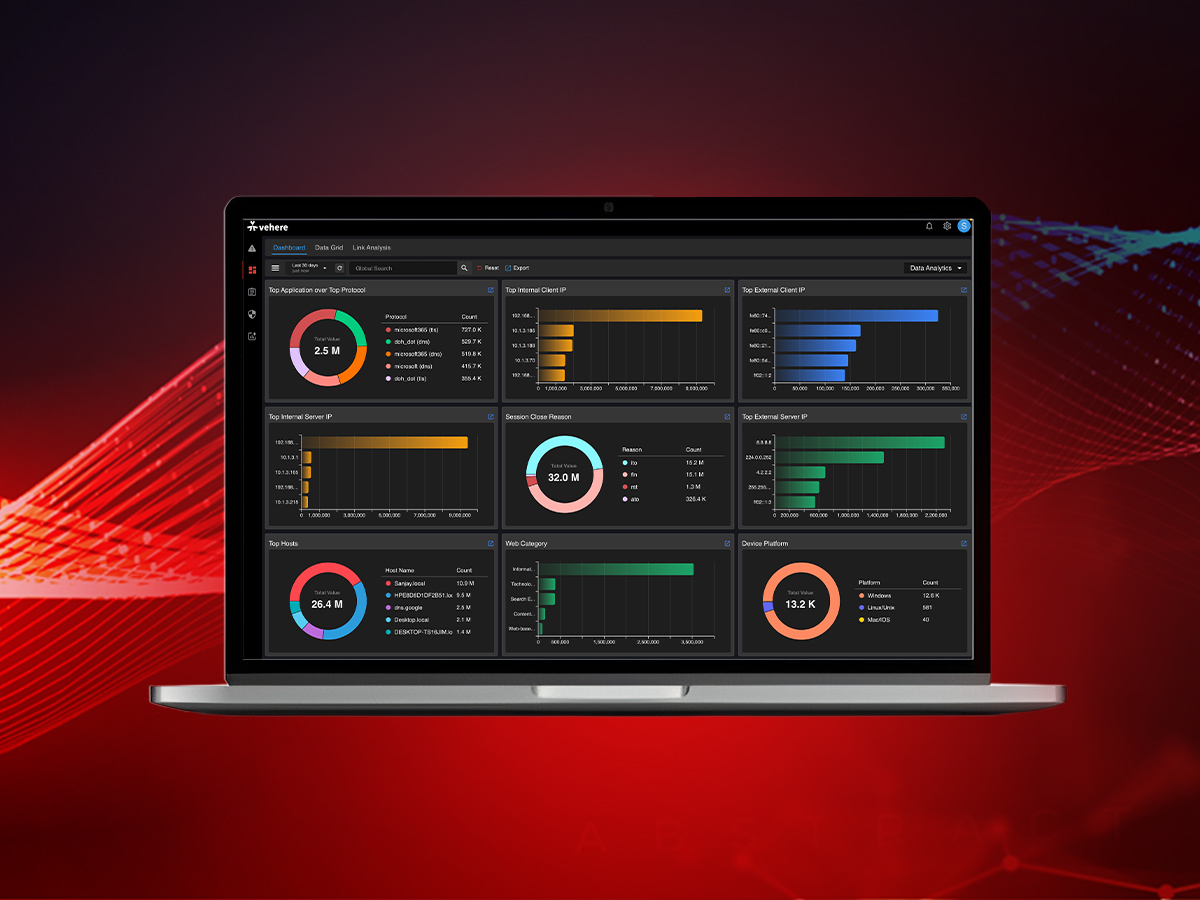

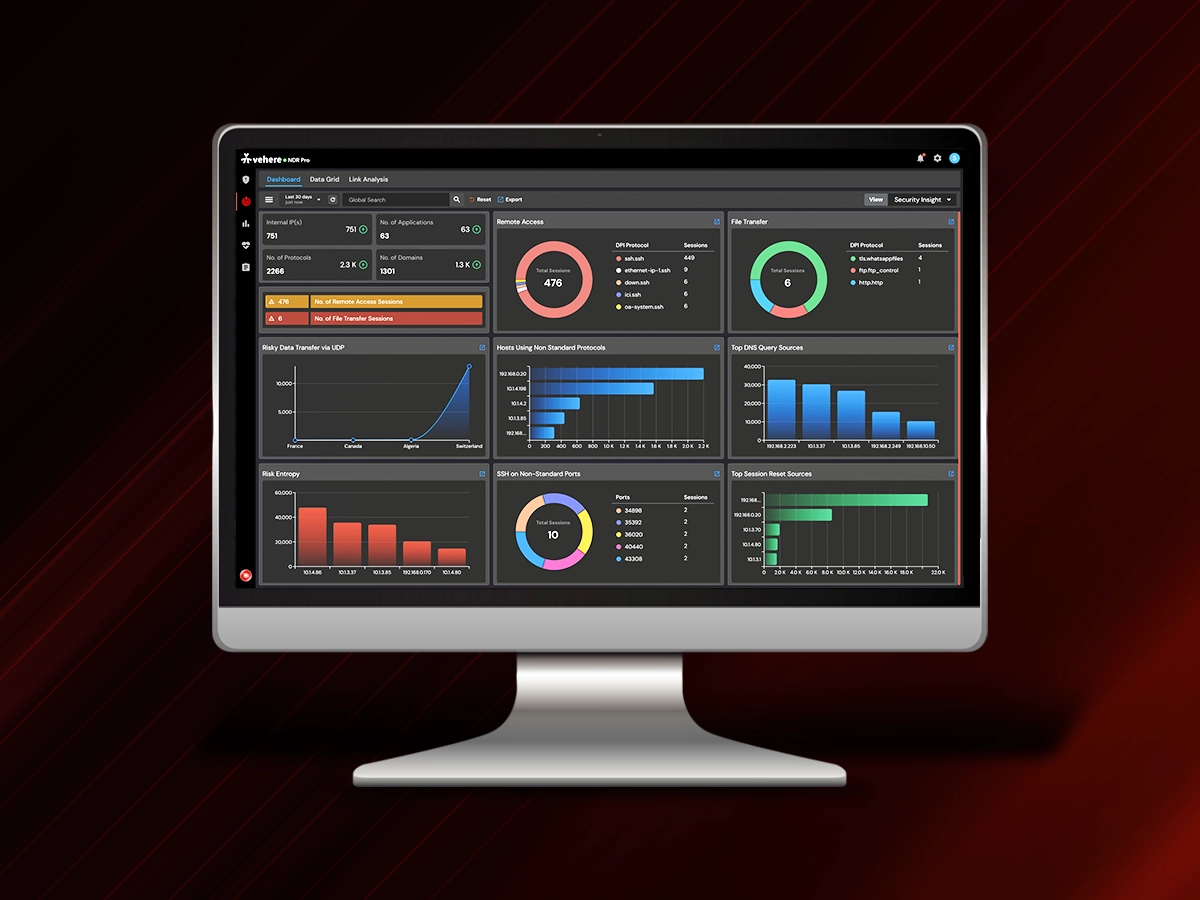
Cybersecurity investigations rarely follow a straight line. Analysts may start with an alert, look at flow data to understand the communication, move into session details to establish context, and eventually need packet-level visibility to determine what actually happened.
The effectiveness of an NDR platform depends on how easily security teams can move through these different layers of network evidence without losing context along the way.
Vehere NDR 1.8.4 builds on this workflow with improvements across AI-assisted product interaction, network flow visibility, encrypted traffic analysis, alerting, session investigation, capture filtering, administration, and platform security.
What’s New in Vehere NDR 1.8.4
- Analysts can converse in natural language with the NDR system via the built-in AI assistant Vision AI. They can access product knowledge, configuration guidance, operational procedures, and troubleshooting information.
- JFlow (Juniper devices) can be directly captured in the existing Flow Collector alongside NetFlow and sFlow for extended network visibility.
- On-Demand TLS Decryption to decrypt captured TLS sessions when deeper inspection of encrypted traffic is required.
- Real-Time Alerting for notifications as relevant security events are detected.
- Capture Input Identification using VLAN IDs or MAC addresses.
- Improved session investigation, including better session context and handling of long-running communications.
- Enhanced platform administration and security, including SLMC improvements, expanded audit information, broader whitelist support, and VAPT-driven fixes.
Vision AI: Making Product Knowledge Easier to Access
Working with an NDR platform involves more than looking at network traffic. Analysts and administrators also need to understand how capabilities work, where to find a particular configuration, how to perform an operational task, or how to troubleshoot an issue.
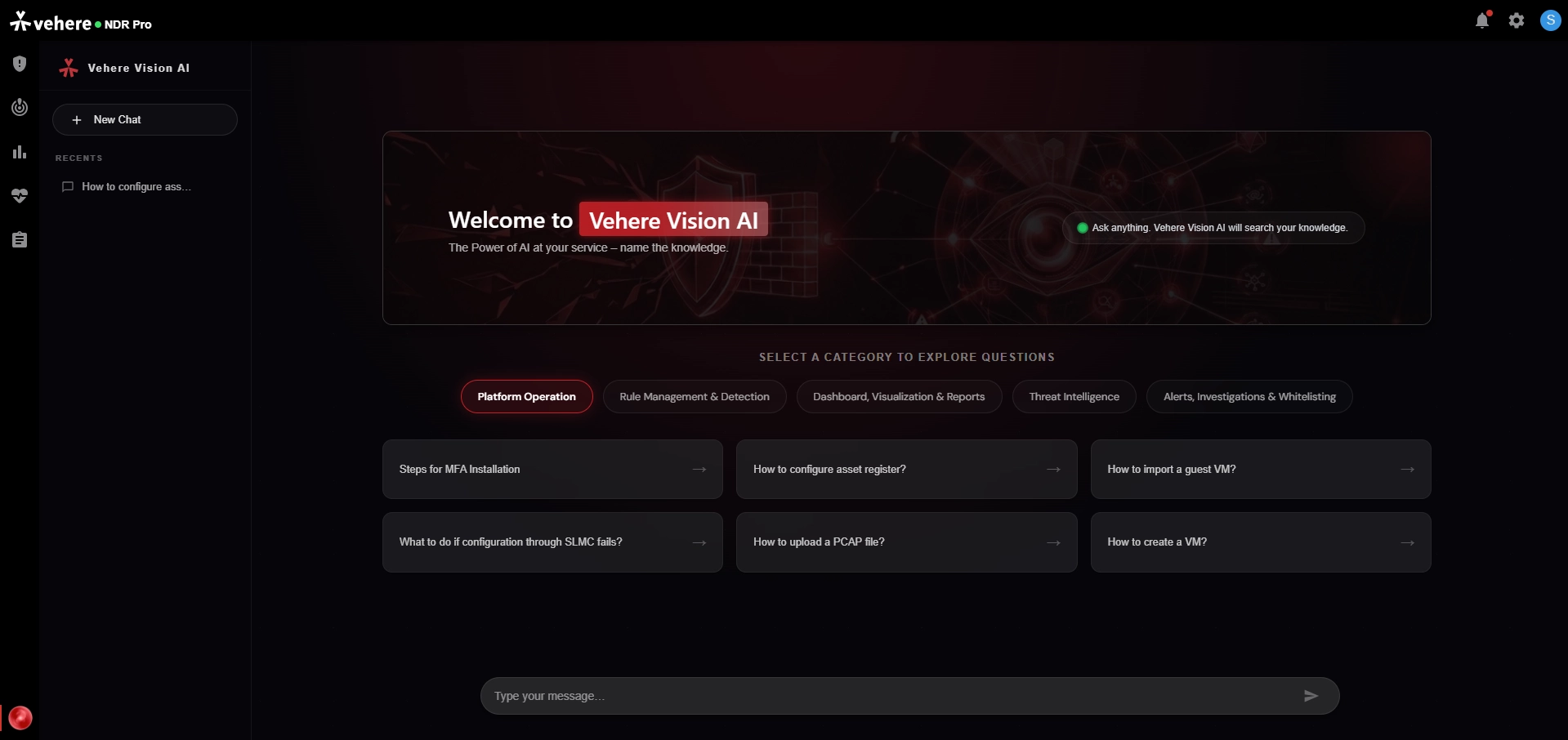
Vision AI is an AI-powered conversational assistant that helps users interact with the NDR platform using natural language. Users can ask questions, investigate alerts, understand product features, receive configuration guidance, operational procedures, and troubleshooting without having to search through documentation.
This is useful in day-to-day operations as well as during investigation. An analyst who needs to understand how a particular NDR capability works, or an administrator looking for guidance while configuring the platform, can access the information as part of the existing workflow.
JFlow Support: Extending Flow Visibility to Juniper Environments
Flow data provides an important view of network communications. It helps security teams understand which systems are communicating, which ports and protocols are involved, how traffic is distributed, and where unusual communication patterns may exist.
Vehere NDR already supports NetFlow and sFlow through its Flow Collector. With NDR 1.8.4, that capability is extended to JFlow records from supported Juniper devices, allowing JFlow to be processed alongside the existing flow sources.
This means organizations using Juniper infrastructure can bring JFlow into the same flow analysis workflow rather than treating it as a separate source of network telemetry.
The collected metadata is available through the Data Lake and NDR user interface, where it can contribute to network monitoring and investigation. Analysts can work with information such as applications and protocols, IP addresses and ports, top hosts, conversations, autonomous systems, and geographic distribution.
This context is particularly useful early in an investigation. Before examining the contents of a specific communication, an analyst may first need to understand whether the communication is expected, which systems are involved, how broadly it is occurring, and whether similar activity appears elsewhere in the environment.
On-Demand TLS Decryption: When Metadata Isn’t Enough
Encrypted traffic creates a familiar challenge for SOC teams. An analyst may be able to see that two systems communicated, understand the timing and characteristics of the connection, and examine the available session metadata, while the contents of the communication remain encrypted.
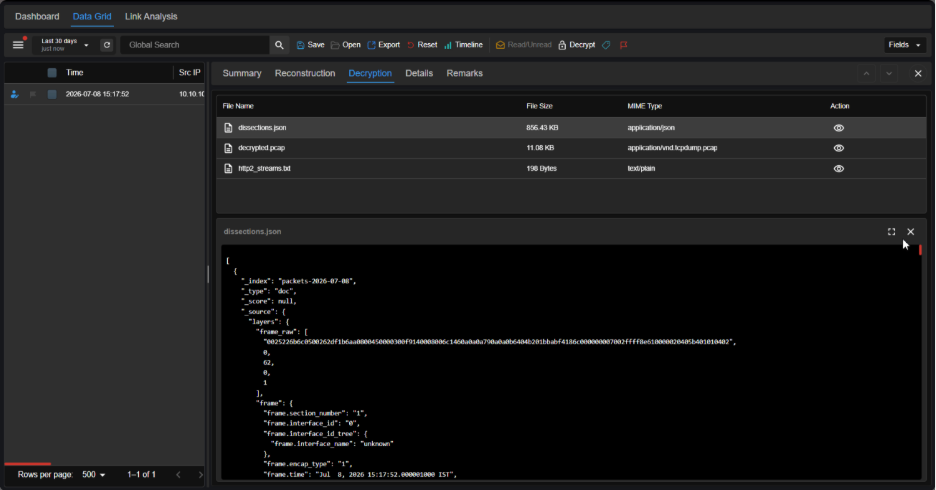
In many investigations, that level of visibility may be sufficient. However, some investigations may require deeper visibility. NDR 1.8.4 introduces On-Demand TLS Decryption, allowing users to decrypt captured encrypted sessions when deeper traffic analysis is required.
The important part of this capability is that decryption can be applied when the investigation calls for it. Analysts can begin with the available network and session context, identify a communication that requires closer examination, and then move into deeper analysis of the captured session.
The version also introduces Key Management for centralized management of the private keys and SSLKEYLOGFILEs required for decryption.
This creates a more practical workflow for investigating encrypted communications. Rather than requiring every session to be handled at the deepest level of inspection, analysts can use the level of visibility appropriate to the investigation and introduce decryption when additional evidence is needed.
For incident response and network forensics, that additional visibility can be important when metadata establishes that something happened but does not explain what happened. Access to the decrypted contents of a captured session can provide further evidence for understanding application activity, validating suspicious behavior, or reconstructing the sequence of events within an encrypted communication.
On-Demand TLS Decryption extends the investigation from communication context to communication content, when that additional level of evidence is necessary.
Making Security Events and Captured Traffic Easier to Work With
The release improves how teams receive and work with security information during an investigation.
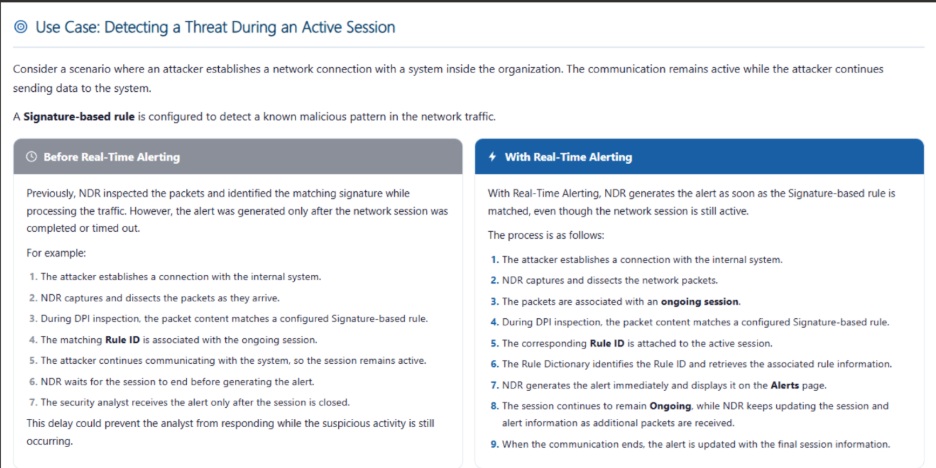
With Real-Time Alerting, security teams can receive notifications as relevant security events are detected. This helps reduce the gap between an event being identified and an analyst becoming aware of it, particularly when certain alerts require timely attention.
NDR 1.8.4 introduces Capture Input Identification, allowing users to narrow captured network traffic based on configured VLAN IDs or MAC addresses. Identification filters can be created and managed directly from the configuration interface, where users can add multiple filters, edit or delete existing ones, and review filter details along with their creation and modification history. This makes it easier to focus investigations on traffic associated with specific network segments or devices, particularly in large capture environments.
Maintaining Context as Investigations Move Across Sessions
NDR 1.8.4 improves the session experience by automatically updating the Details view when users switch between sessions. The selected session remains highlighted, making it easier to identify the communication under examination while keeping its associated details in view.
The release also improves the handling of long-running communications that are split into multiple sessions because of active timeouts. Related sessions can retain a common session ID, making it easier to associate multiple session records with the same underlying communication. Metadata handling is also improved, while configurable port definitions provide better context for applications and services operating on non-standard ports.
Together, these changes make session-based investigations easier to follow, particularly when a communication spans multiple sessions or relies on non-standard ports.
Improvements to Administration, Auditing, and Platform Security
Beyond network analysis and investigation, NDR 1.8.4 includes several improvements to the way the platform is managed and secured.
Enhanced SLMC
The Setup & Licensing Management Console (SLMC) is Vehere’s centralized console for configuring, managing, and licensing NDR servers and probes, bringing key deployment and operational tasks into a single interface. In NDR 1.8.4, SLMC capabilities have been enhanced across server management, command execution monitoring, log collection, and license management. The interface also includes a dark theme. These improvements provide administrators with greater visibility and control when managing NDR infrastructure and carrying out operational tasks across managed servers.
More Detailed Audit Trails
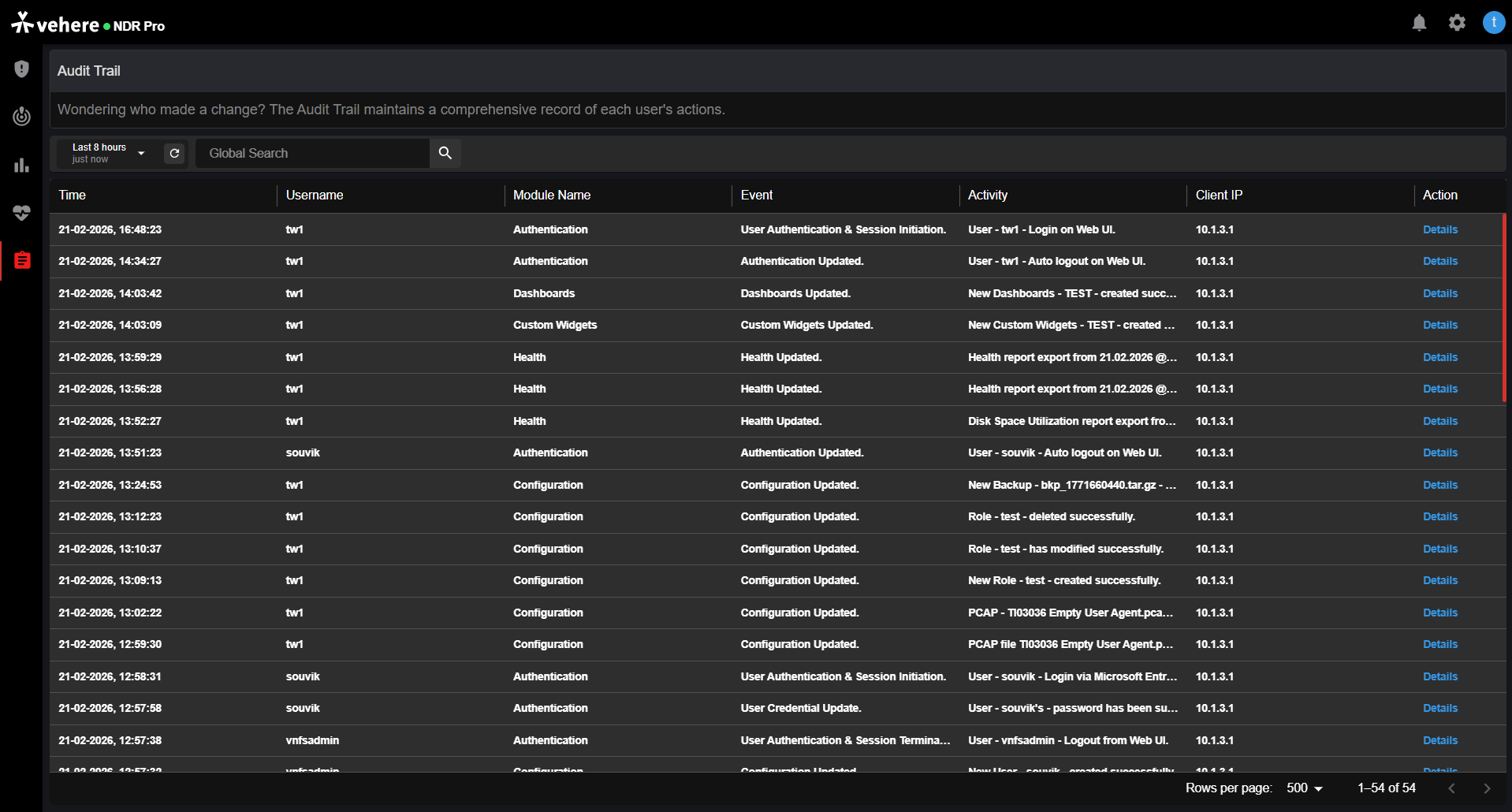
The audit trail has been extended to include authenticated session duration, with login and logout timestamps and the total session duration recorded in HH:MM:SS format. For environments where administrator activity needs to be reviewed, this provides additional context around authenticated access to the platform.
Expanded Whitelist Support
Whitelist support has been expanded to include ML EBA, in addition to the existing MLDNN, MLDNS, and Rule categories.
This release adds support for parameters including ssl_server_name and dst_host, providing more specific controls for defining activity that should be treated as known or expected within the relevant detection workflows.
Security Improvements from VAPT Findings
NDR 1.8.4 also includes fixes and improvements resulting from Vulnerability Assessment and Penetration Testing (VAPT).
These cover areas such as authentication controls, session management, input sanitization, secure configuration, backups, sensitive metadata exposure, alert forwarding, reporting, PCAP reconstruction, alert-volume control, and storage management.
These changes are part of the ongoing security maintenance of the NDR platform itself, strengthening the controls around the system that security teams rely on for network monitoring and investigation.
What NDR 1.8.4 Brings Together
NDR 1.8.4 brings improvements across the security team’s day-to-day workflow, with three capabilities standing out. Vision AI makes product knowledge and operational guidance easier to access. JFlow support broadens the flow telemetry available for network visibility, particularly in Juniper environments. On-Demand TLS Decryption adds deeper visibility when encrypted traffic needs to be examined beyond its available metadata.
The supporting enhancements make that workflow easier to manage as investigations progress, from real-time notifications and targeted capture filtering to improved session handling, administration, auditing, and platform security.
Taken together, NDR 1.8.4 is focused on making network evidence more useful and easier to work with, whether an analyst needs broader flow context, deeper visibility into an encrypted session, or quicker access to product guidance.
Explore the complete list of new features and updates in the Vehere NDR 1.8.4 release notes.